
FlowIndependent design concept. Not affiliated with Microsoft Power Automate.
"You open your laptop. Your workspace is already ready. You didn't do anything. Flow just knew."
This is the moment Flow is designed to create. Every morning. Without being asked.
Windows has always been built on one promise: your computer does what you tell it to. Flow is built on that same promise.
Flow was designed before Microsoft began removing Copilot branding in March 2026.
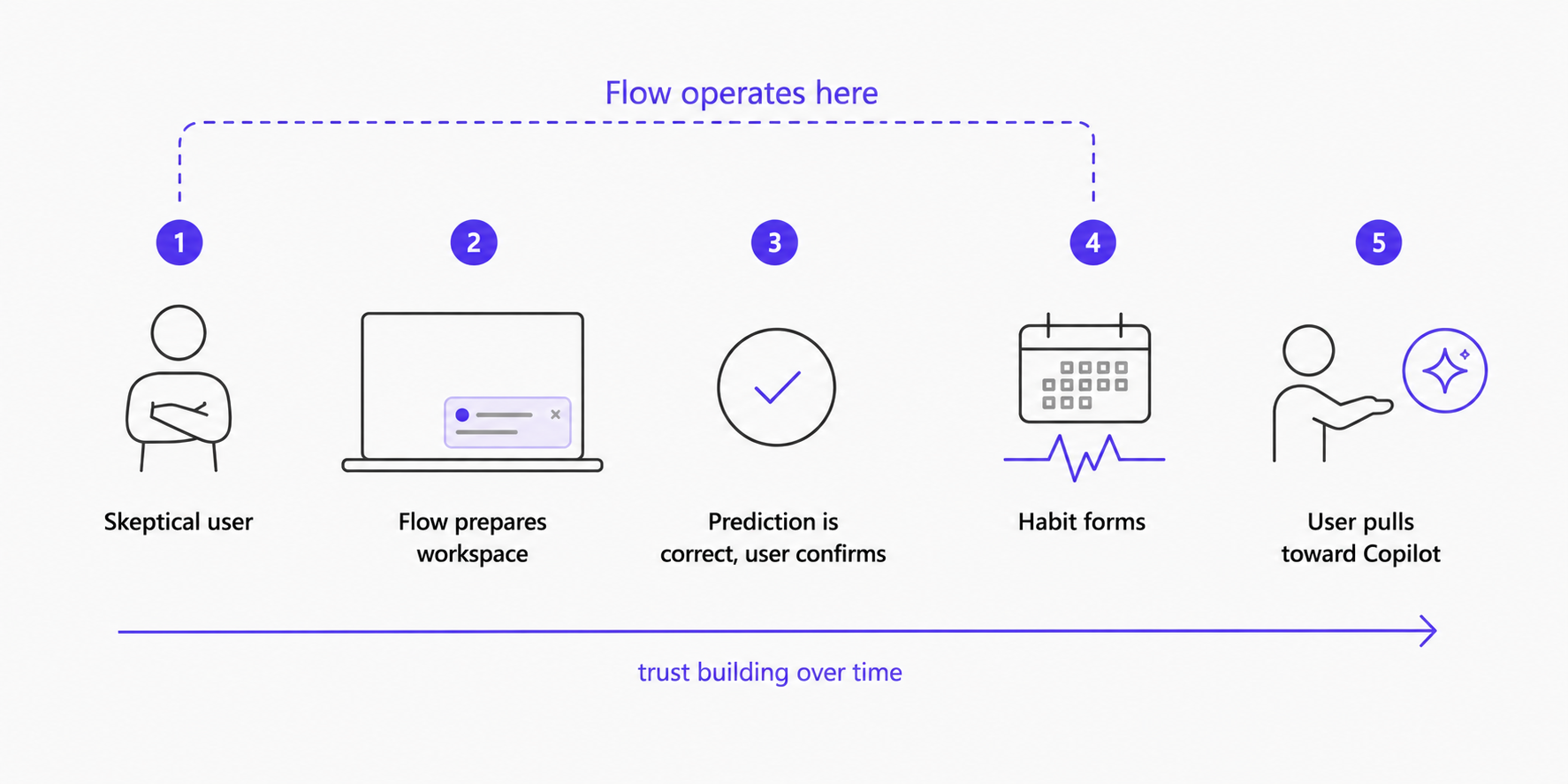
Flow is the trust layer that sits between the user and Copilot's capabilities. The stack below shows the technical relationship. The journey shows why that layer exists: building the habit that pulls users toward Copilot willingly, instead of pushing them forcibly.
Flow is the interaction layer. Copilot is the engine.
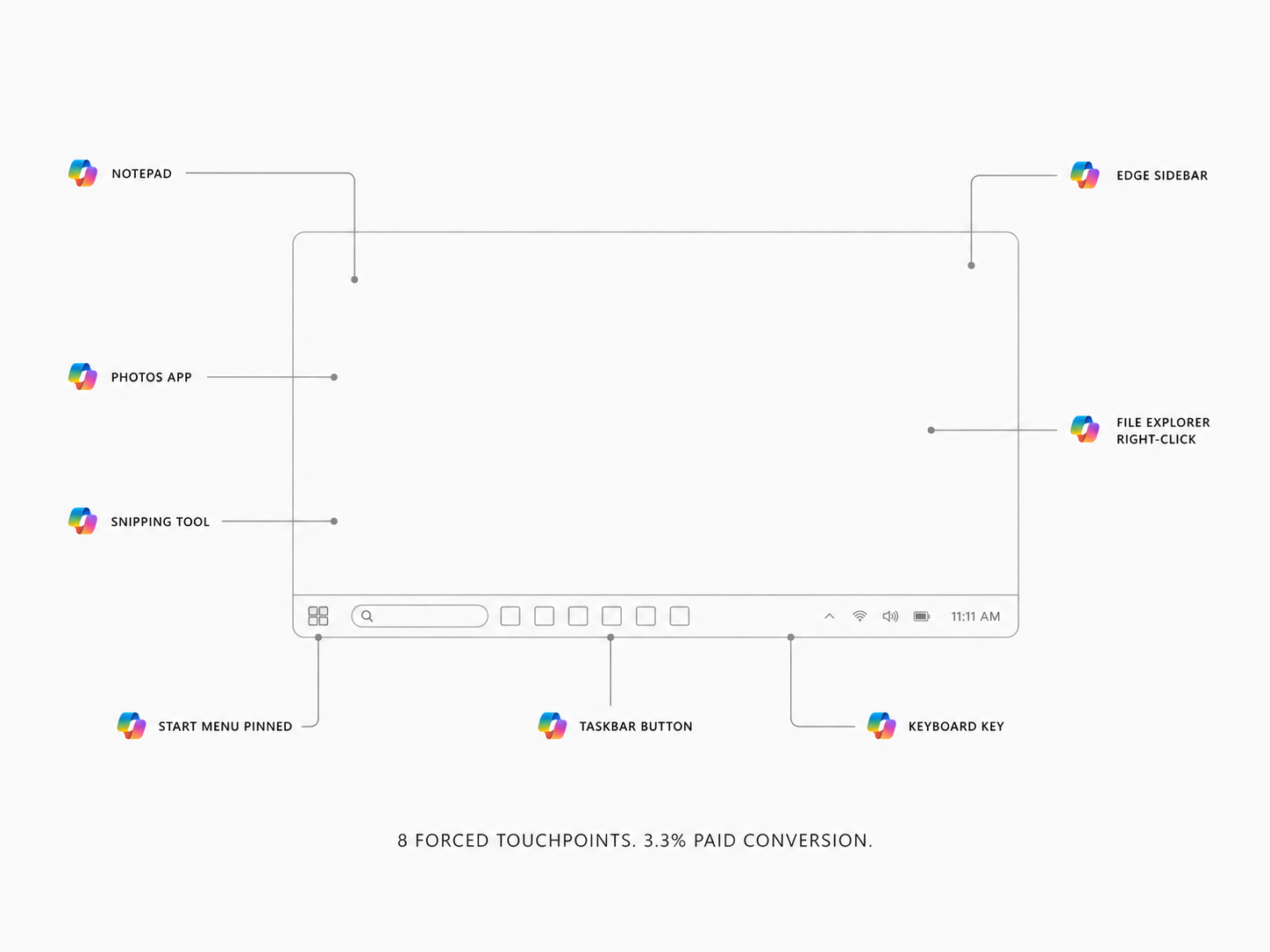
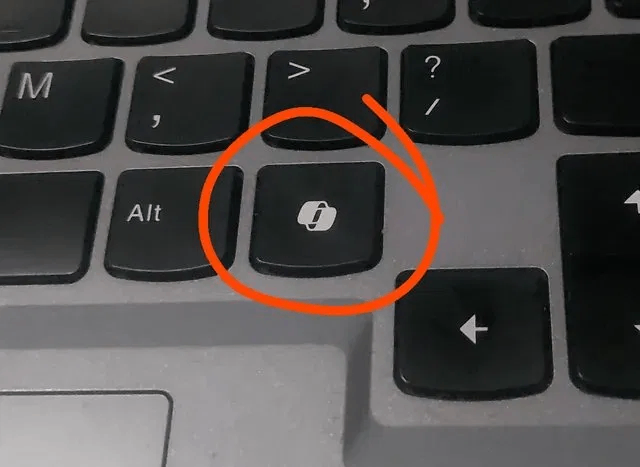
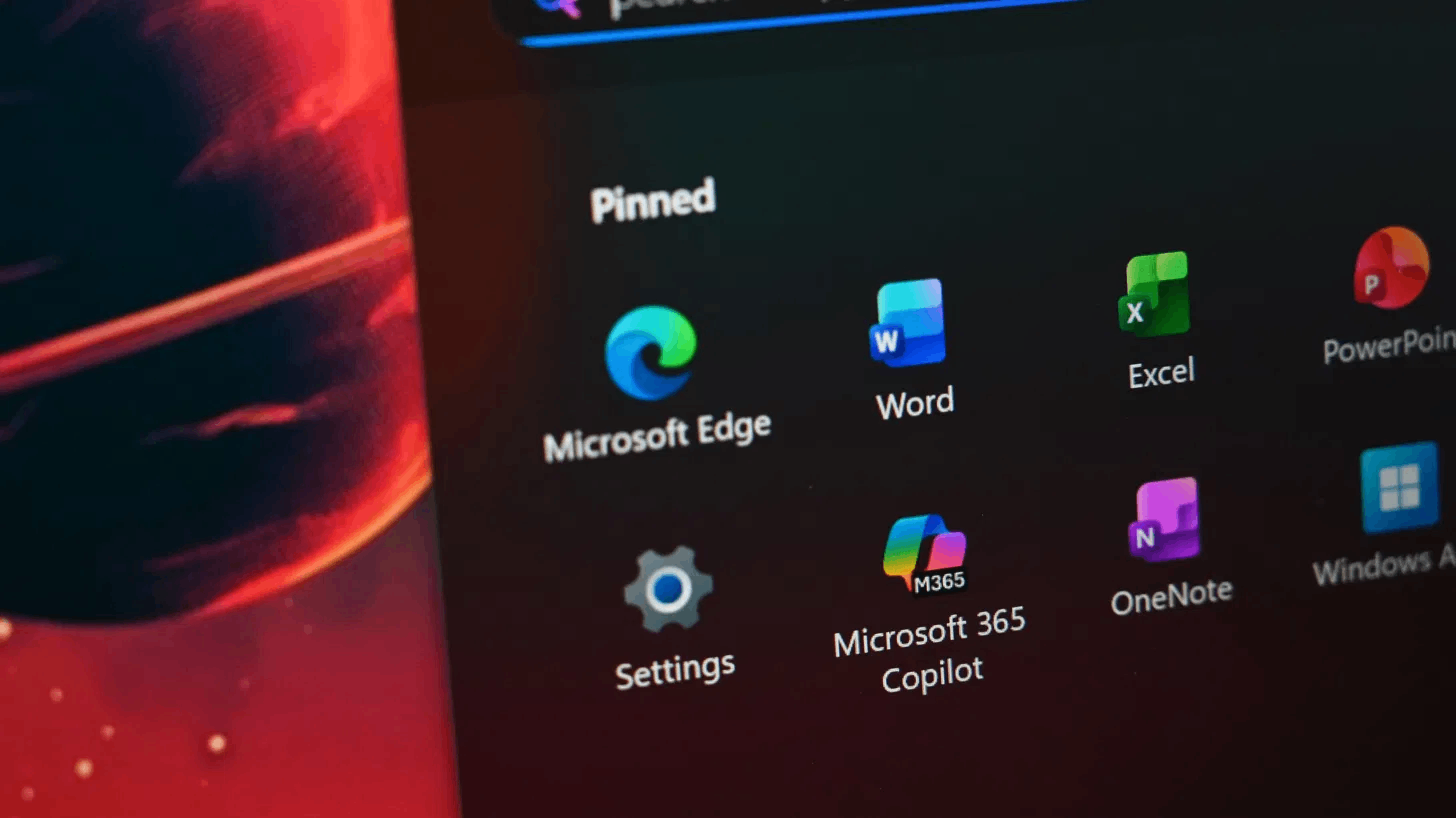
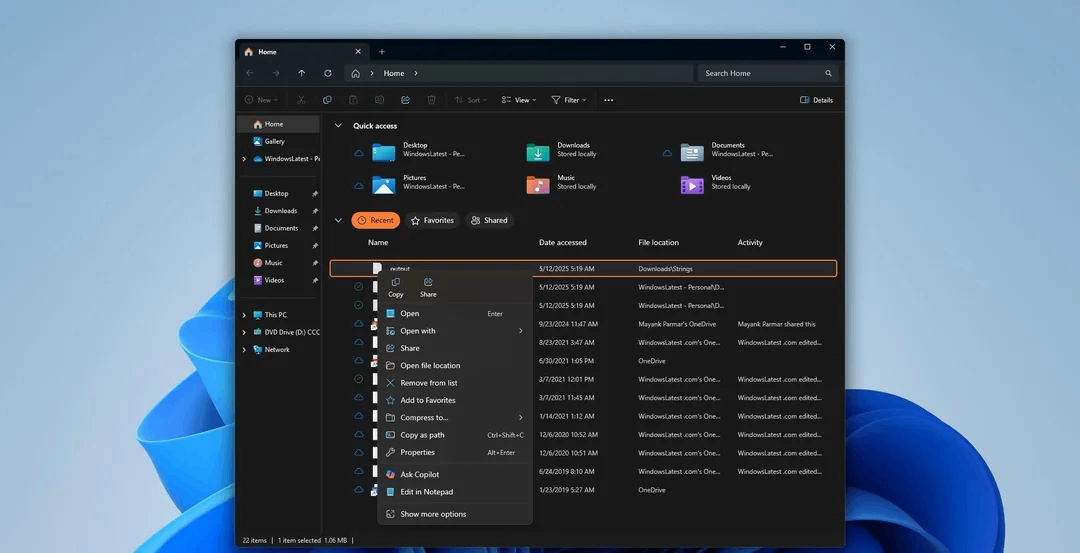
Copilot had the most aggressive distribution of any software feature in Windows history: a dedicated keyboard key, a pinned Start menu slot, a taskbar button, and a right-click entry in File Explorer. Distribution at that scale still didn't translate to voluntary adoption. When users had access to alternatives, 8% chose Copilot. The failure wasn't reach. It was that every forced touchpoint arrived before trust was established. Once the first interaction disappointed, every subsequent sighting of the Copilot icon became a negative signal. More placement accelerated the damage. Flow is designed around the opposite sequence: trust first, then presence.
Copilot sits in a sidebar and waits to be asked. Every interaction starts from zero. The user carries the context. The AI provides the response.
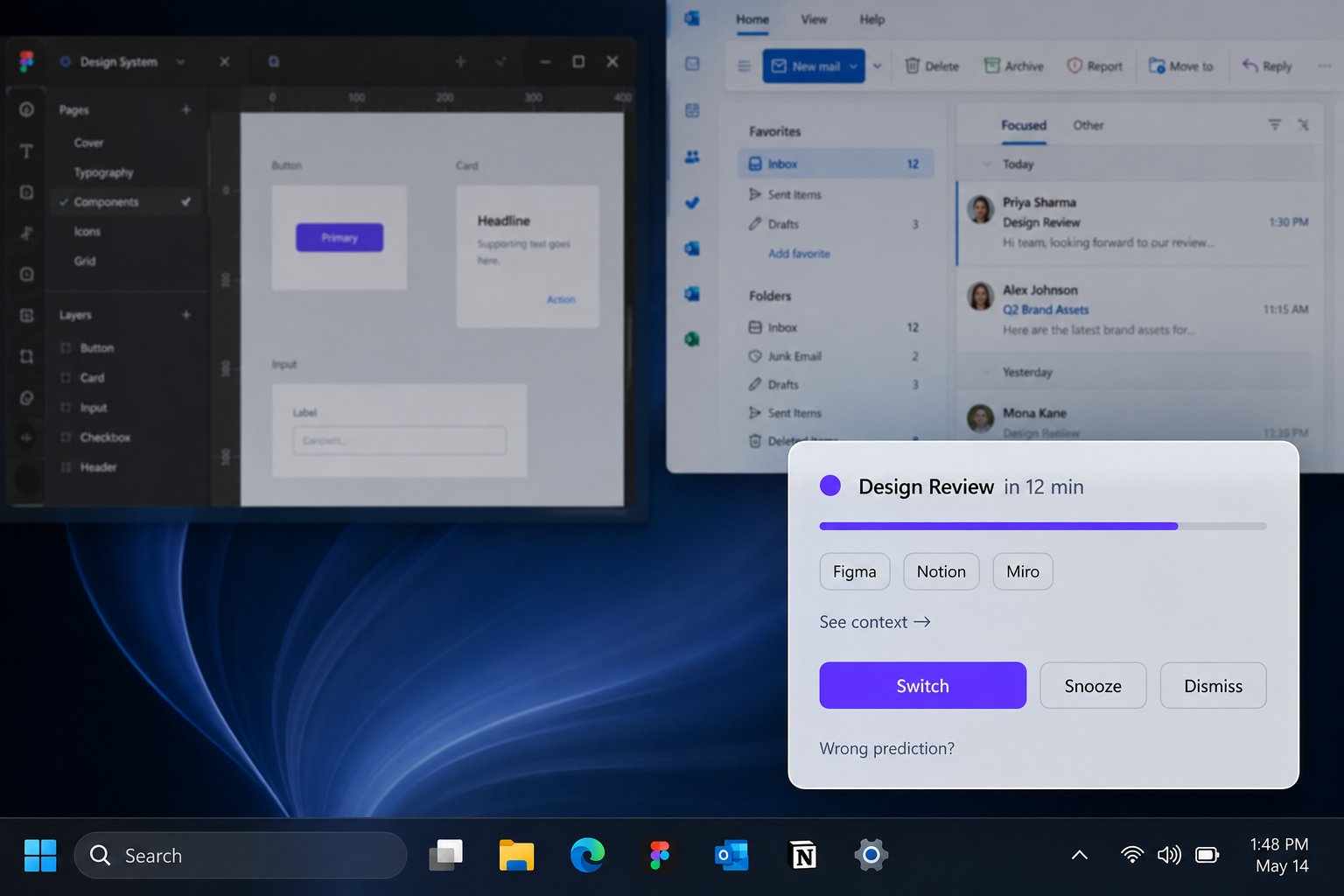
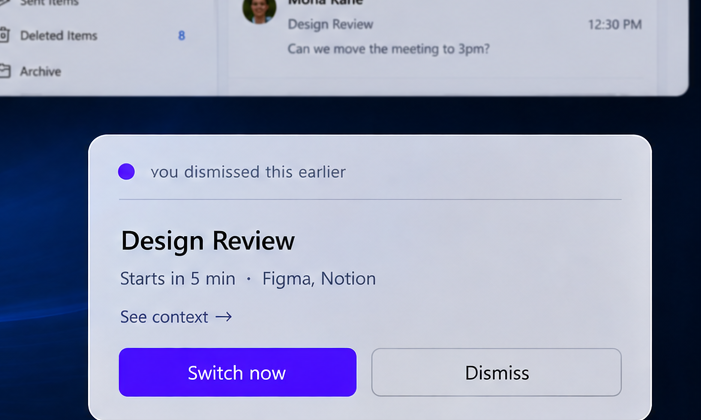
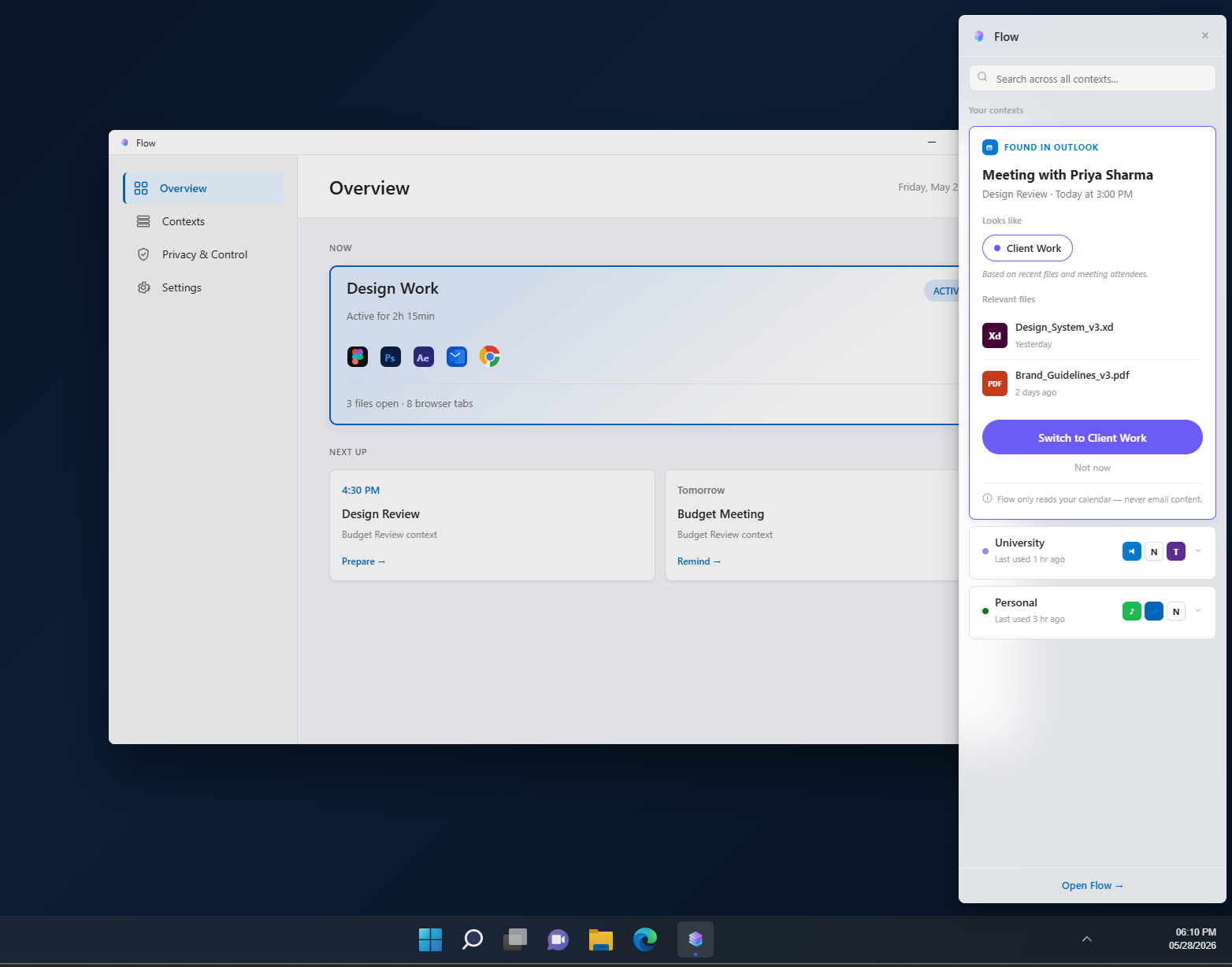
Based on your calendar and the apps you have open, Flow prepares the next workspace before you need to switch. You confirm or dismiss. Nothing happens automatically.
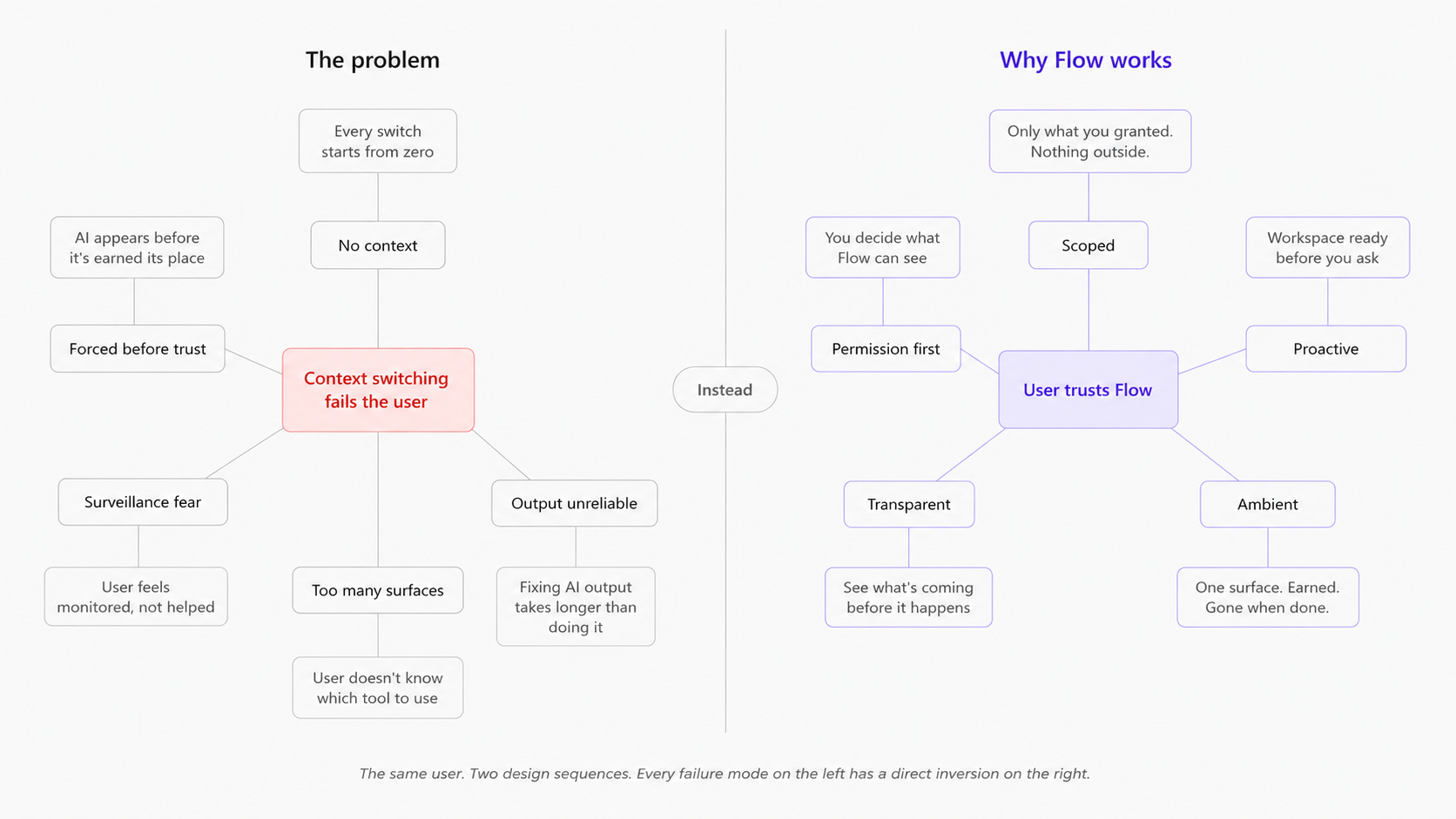
Enterprise Copilot, when given organisational context, demonstrably helps. The problem is that consumer trust doesn't recover on a product timeline. Microsoft's March 2026 response confirms this. They didn't fix Copilot, they started removing the name from surfaces where it had failed. That points to a trust problem that product improvements alone cannot resolve. The underlying AI capability needed a different surface, one that hadn't already spent its trust budget.
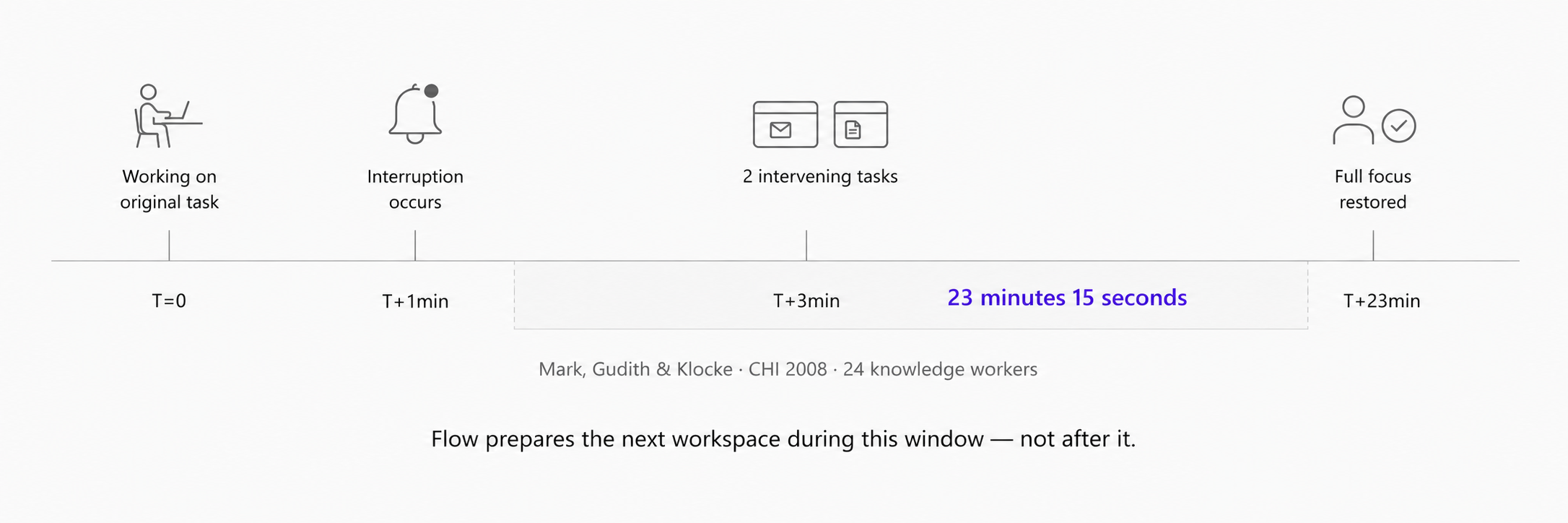
"Systems should provide fully customizable, individual, project-specific views. Interrupted tasks should be easily recoverable by preserving the state of the task when interrupted and by providing cues for reorienting."
Six to eight conversations with colleagues across design, development, and research roles. Every person described the same experience: losing focus at context switches, manually rebuilding workspaces from scratch, feeling like the OS was working against their workflow rather than with it. The signal was consistent enough to treat as a design input — and it matched the peer-reviewed data exactly. That alignment was the validation.
All screens are from the working prototype running on Windows 11. Built with React, Vite, and Microsoft Fluent UI v9.
Copilot placed itself on every keyboard, every taskbar, every app. When trust was already broken, each new touchpoint compounded the irritation.
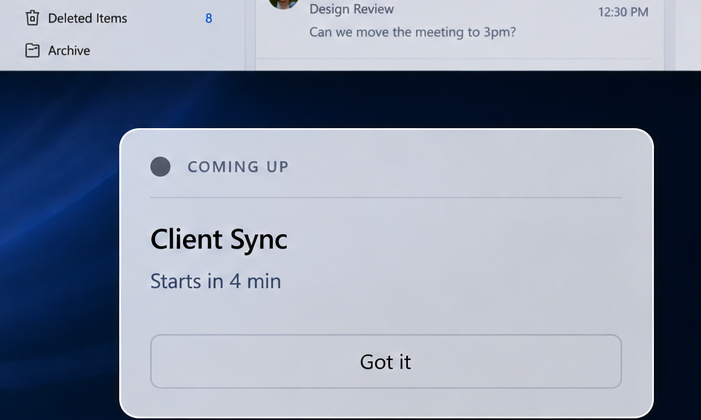
Flow surfaces only when triggered by a real calendar event after a 3-day learning period. The prediction card earns its appearance through accuracy, "based on 14 past switches," not through forced position.
Copilot waits to be asked. Every interaction requires the user to explain their context in a prompt. The burden is on the user.
Based on your calendar and open apps, Flow prepares the next workspace 12 to 14 minutes before a context shift. You didn't type anything.
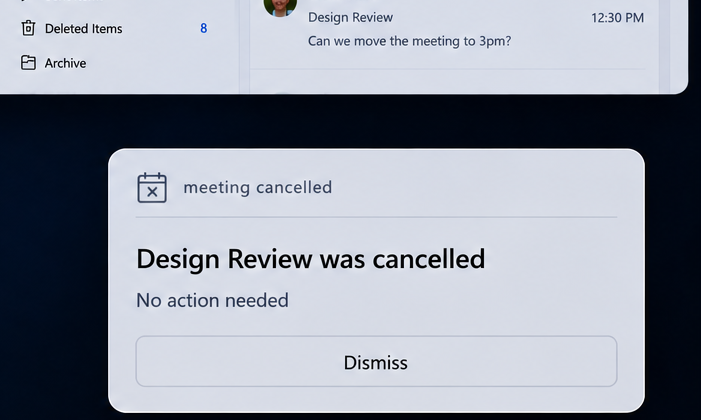
Copilot appeared in Notepad, Paint, Photos, Snipping Tool, taskbar, and keyboard. Every additional placement was a reminder of the last failure.
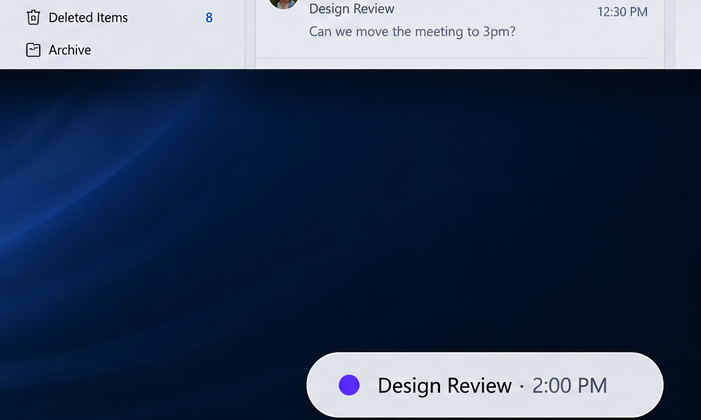
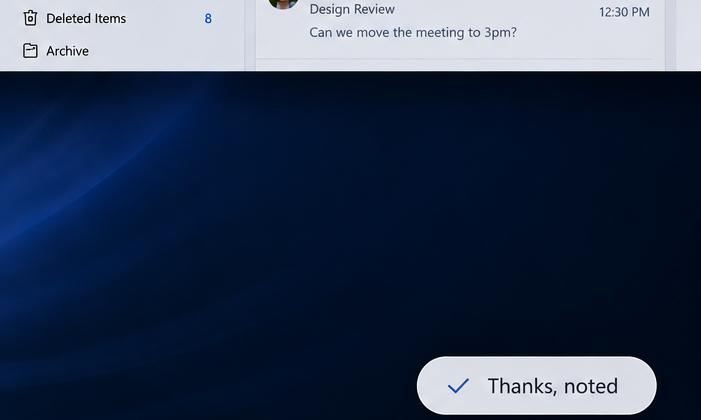
Flow has one surface: a bottom-right card appearing 12 to 14 minutes before a context shift. When dismissed, it collapses to a 4-character pill. No persistence. No push.
The prediction card is what users see. What makes them trust it is the rest of the system: a permission model that is asked for, made visible, and reversible at every step. These screens are the same prototype.
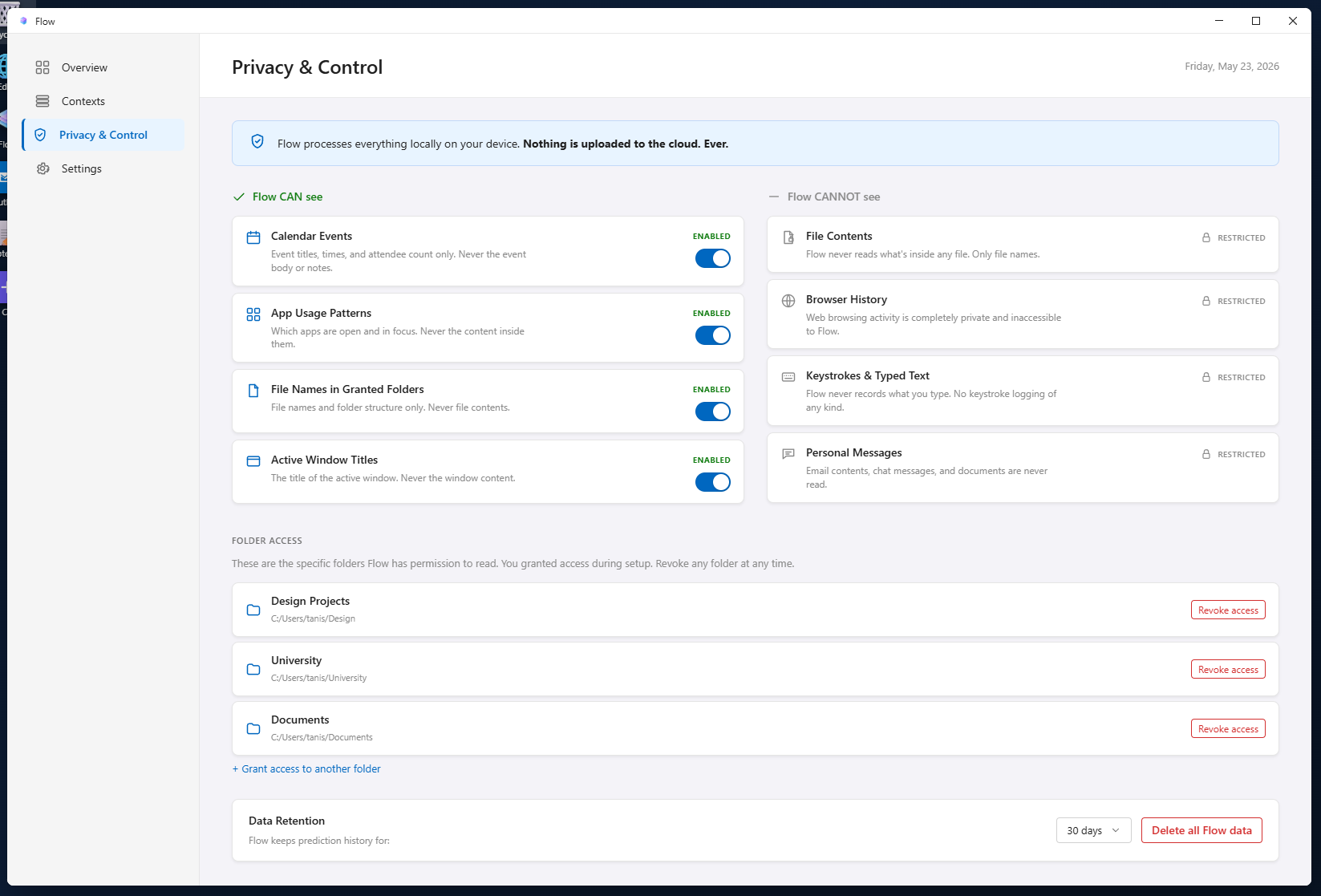
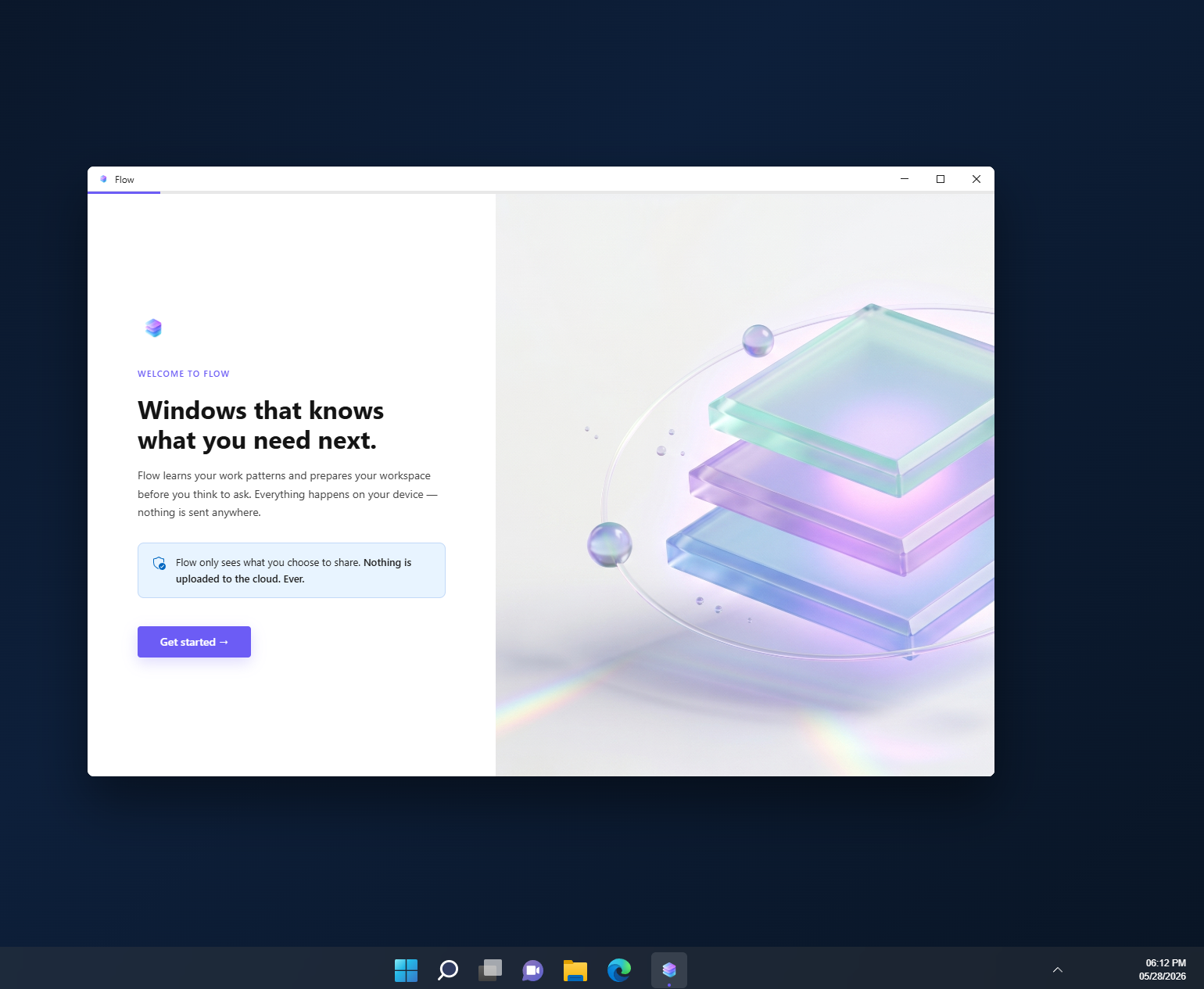
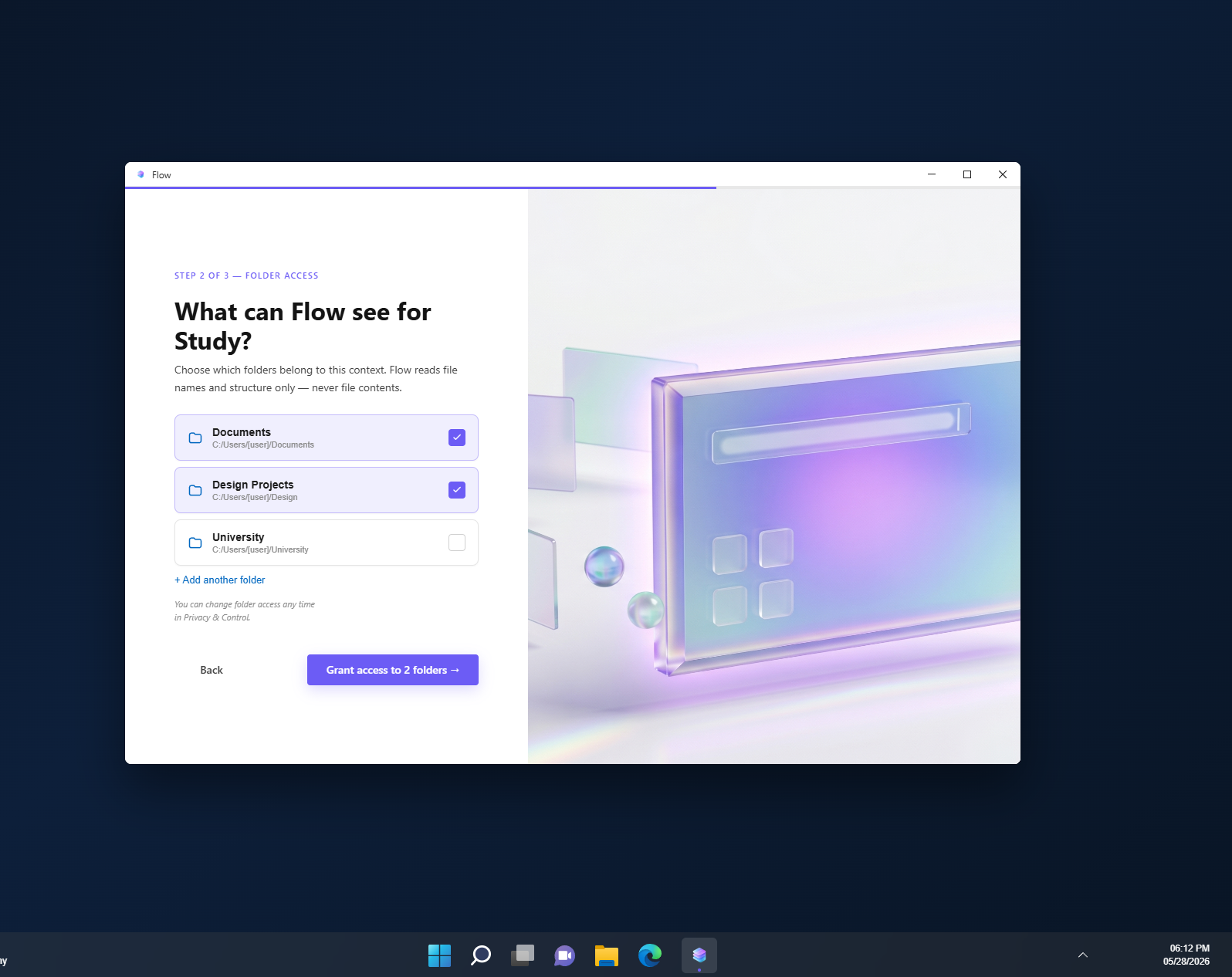
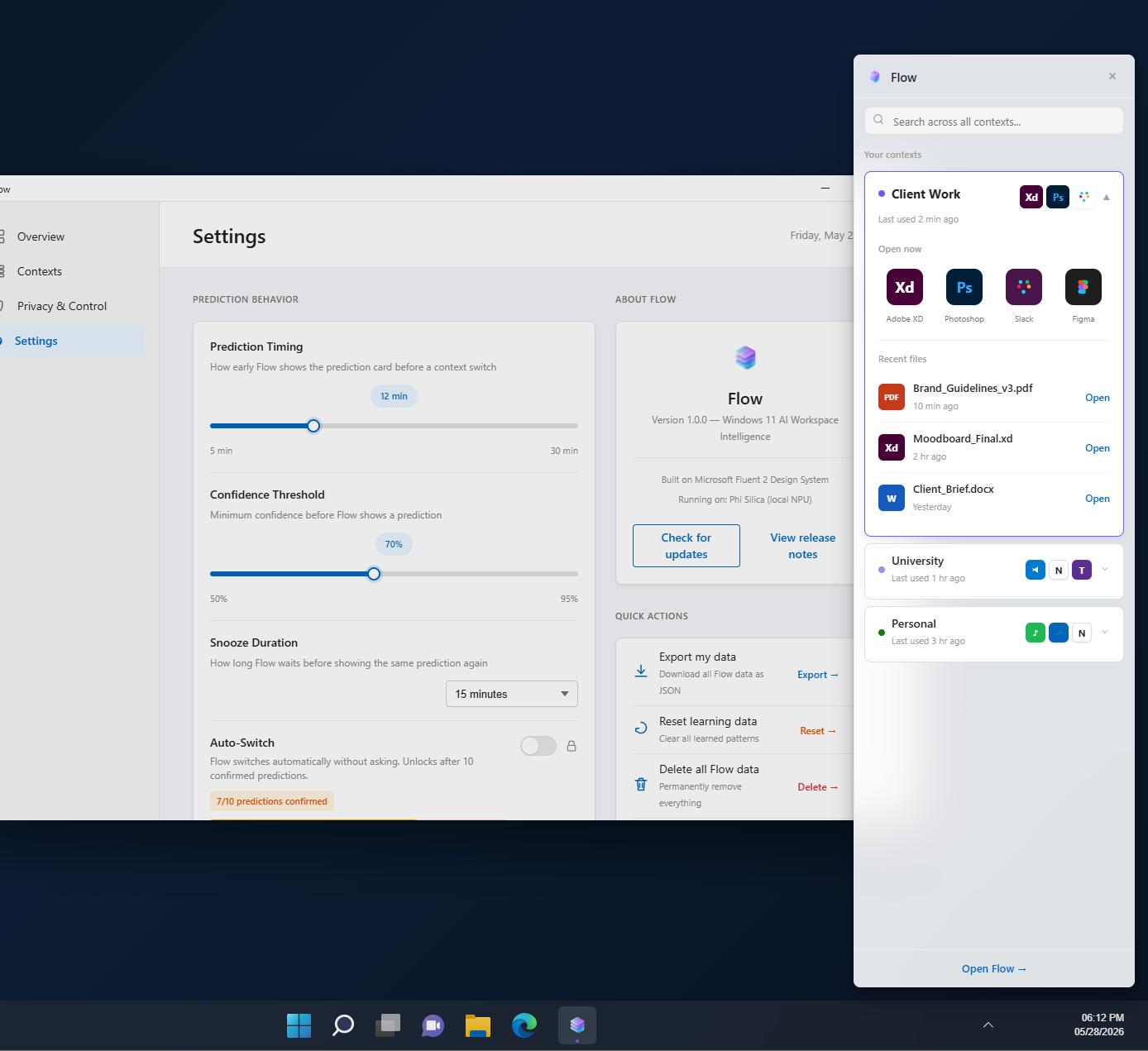
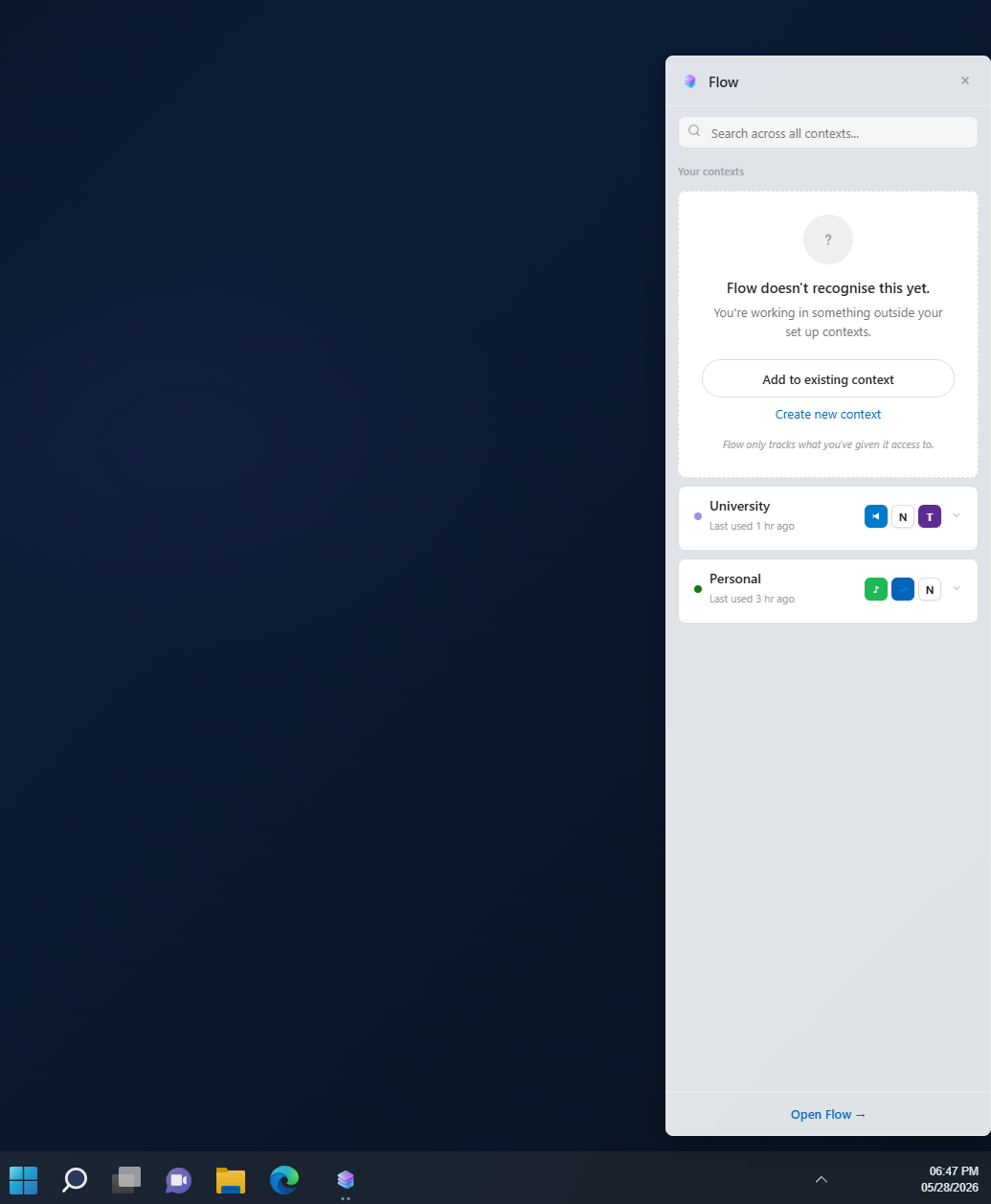
Flow uses Windows accessibility APIs and calendar integration only: no screenshots, no keylogging, no content reading. The same local AI models Microsoft is already shipping (Phi Silica on Copilot+ PCs) are sufficient for the prediction layer. The infrastructure exists. The design pattern was missing.
The trust gaps in Copilot's rollout trace back to design decisions made before the product shipped: no preview before action, no visible permission model, no recovery path for bad predictions. Flow's permission model is a design system: onboarding grants explicit access, Privacy & Control makes it visible and reversible, wrong prediction feedback teaches the system in real time.
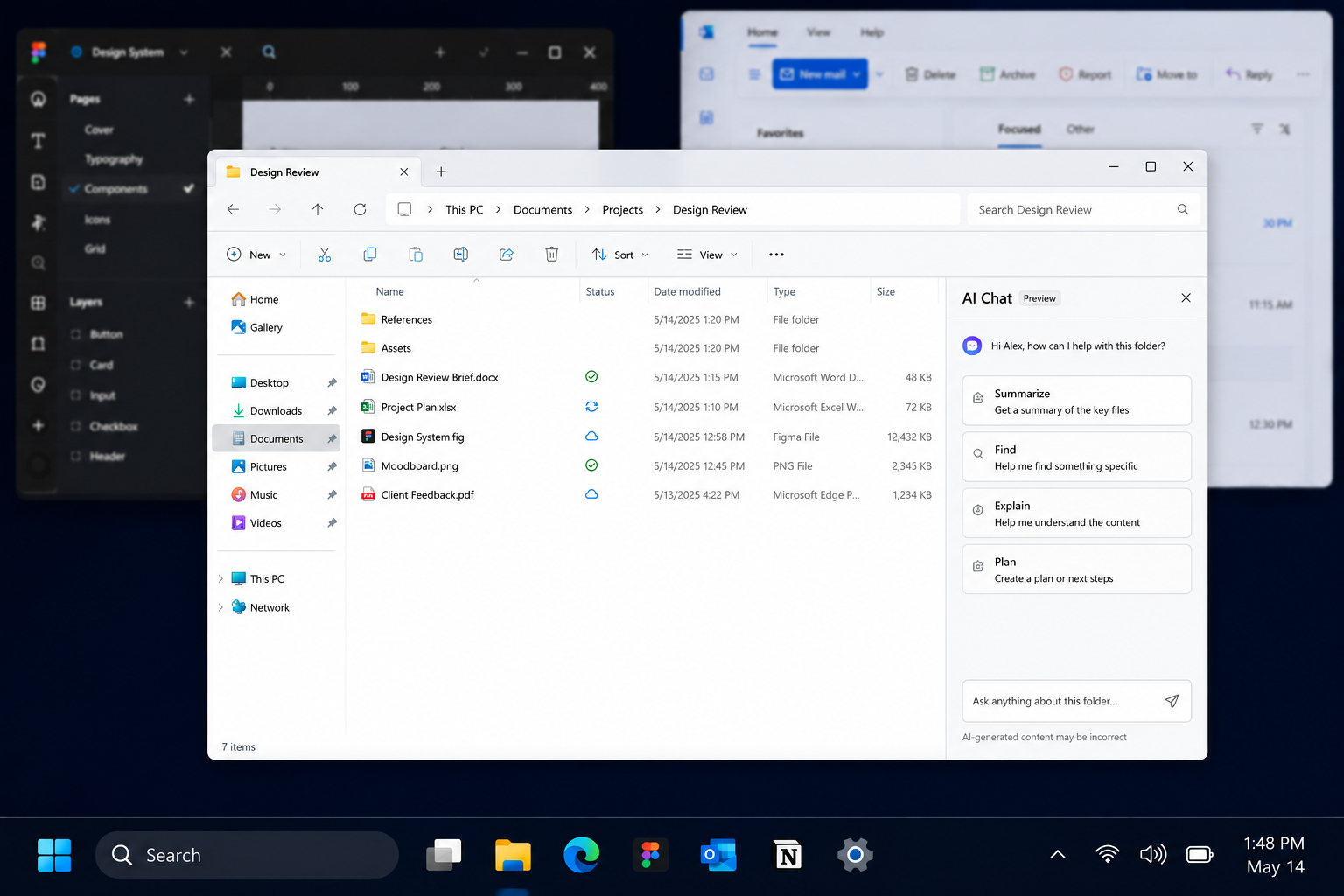
The prediction card is Phase 1: ambient context for workspace switching. The sidebar is Phase 2: on-demand context access. Folder chat, where the user explicitly grants access to file contents for a specific folder, is Phase 3: active, scoped intelligence. Each phase extends the same permission model.
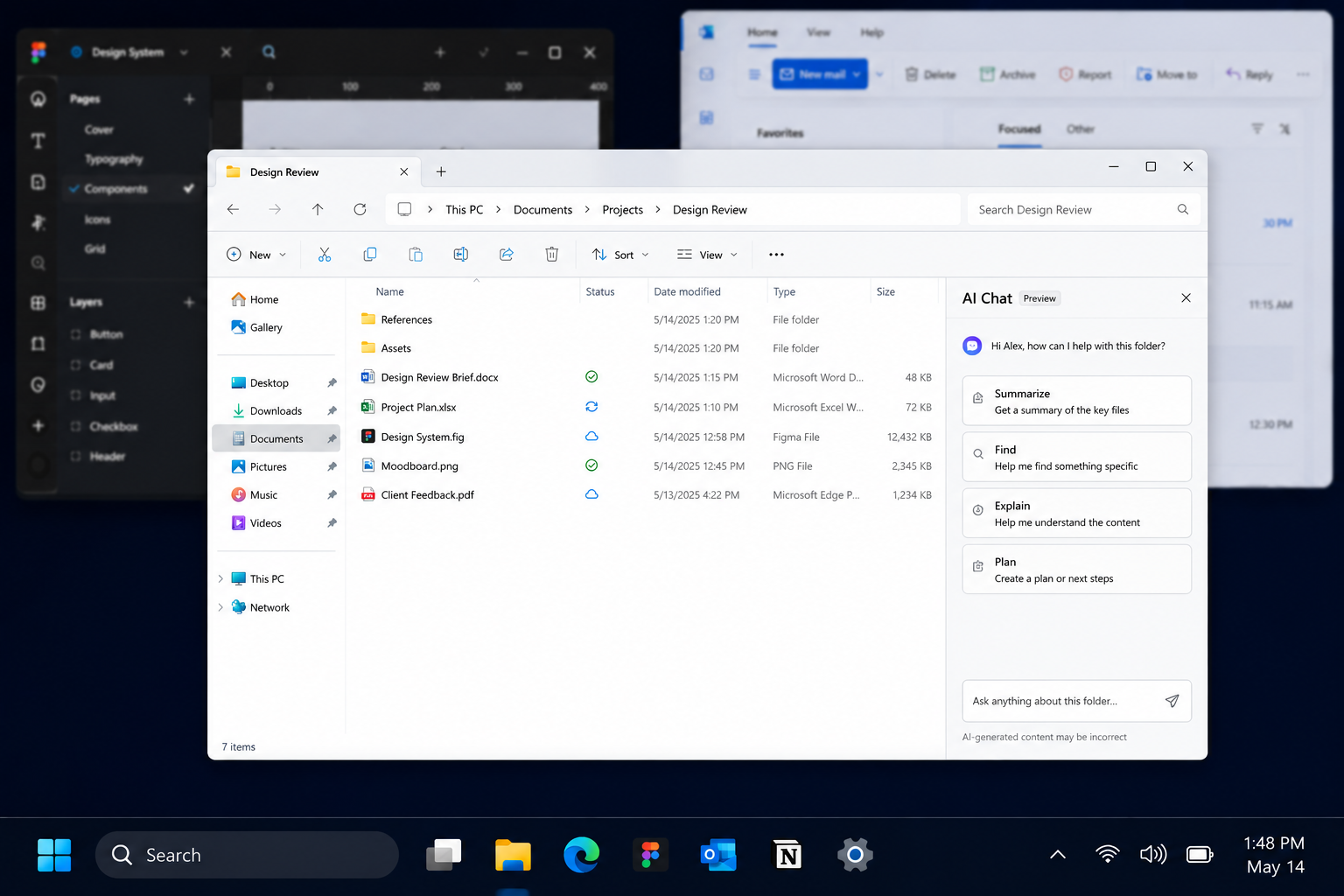
Phase 3 concept. AI Chat in folder context. The user opens a specific folder and explicitly invokes AI assistance. Scoped to that folder only. File names and structure, never contents unless the user grants it. The same permission model, extended to active intelligence.
Flow is a hypothesis, not a proof. These are the questions a real user study would answer.
Flow addresses five things Microsoft is actively working on.
Microsoft began removing intrusive Copilot branding in April 2026.
Flow was designed before this happened.
8% choose Copilot when alternatives exist.
Showing what the AI can see builds trust. Footnotes don't.
Consumer Copilot fails because it has no context. Flow is the context layer.
Tanishq Sardar is a designer focused on human-centred AI systems and Windows UX. Flow was built as an independent research and design concept to explore what permission-first, context-aware AI could look like at the OS level. The prototype demonstrates the core interaction model — prediction card, sidebar, onboarding, and privacy controls — built to production visual standards using Microsoft Fluent UI v9.